

Deploy Xinference
Please note that you usually do not need to manually find the IP address of the Docker container to access the service, because Docker offers a port mapping feature. This allows you to map the container ports to local machine ports, enabling access via your local address. For example, if you used the-p 80:80 parameter when running the container, you can access the service inside the container by visiting http://localhost:80 or http://127.0.0.1:80.
If you do need to use the container’s IP address directly, the steps above will assist you in obtaining this information.
Starting Xinference
There are two ways to deploy Xinference, namely local deployment and distributed deployment, here we take local deployment as an example.-
First, install Xinference via PyPI:
-
Start Xinference locally:
Xinference will start a worker locally by default, with the endpoint:
http://127.0.0.1:9997, and the default port is9997. By default, access is limited to the local machine only, but it can be configured with-H 0.0.0.0to allow access from any non-local client. To modify the host or port, you can refer to xinference’s help information:xinference-local --help.If you use the Dify Docker deployment method, you need to pay attention to the network configuration to ensure that the Dify container can access the endpoint of Xinference. The Dify container cannot access localhost inside, and you need to use the host IP address.
-
Create and deploy the model
Visit
http://127.0.0.1:9997, select the model and specification you need to deploy, as shown below: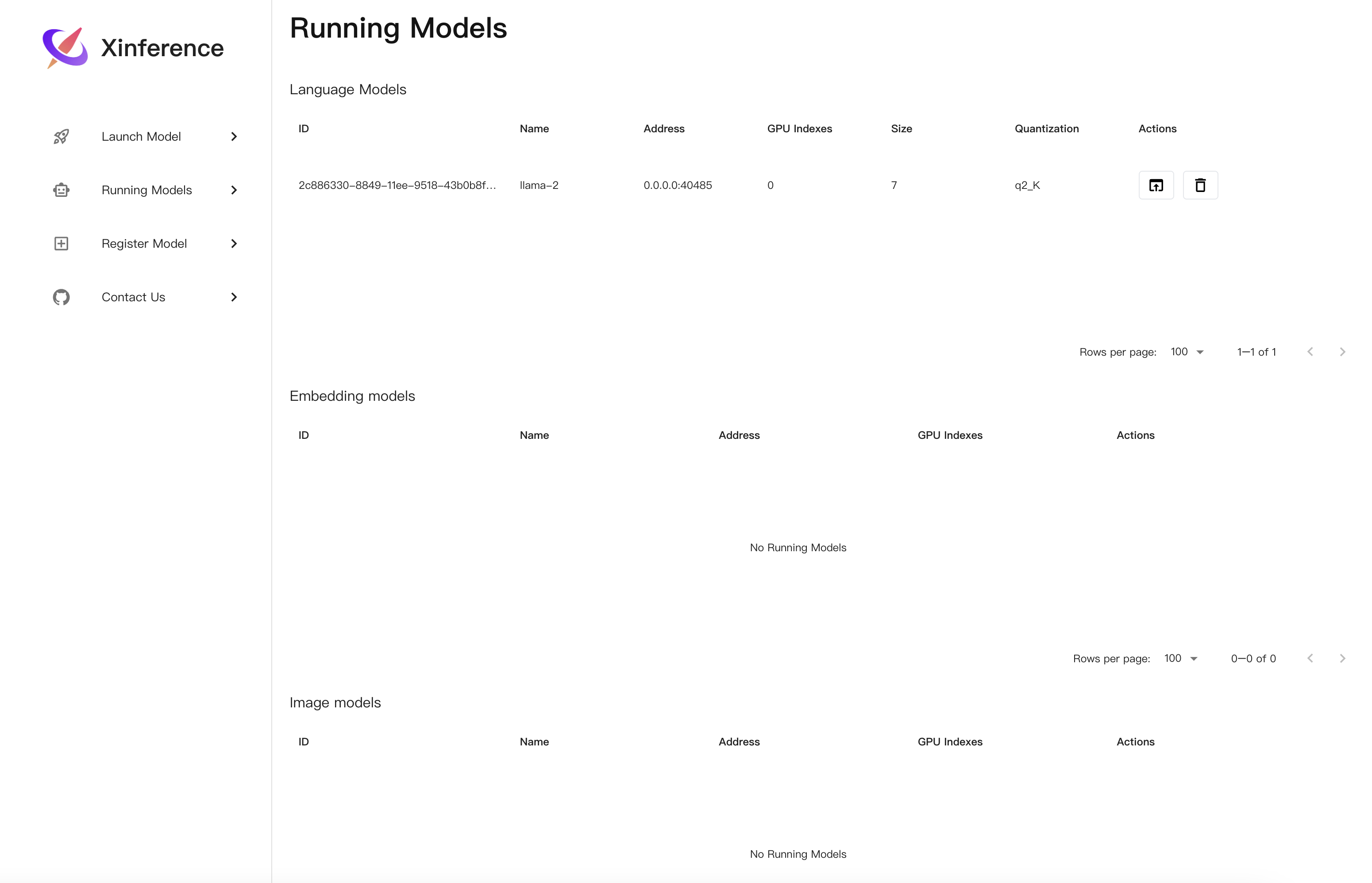 As different models have different compatibility on different hardware platforms, please refer to Xinference built-in models to ensure the created model supports the current hardware platform.
-
Obtain the model UID
Copy model ID from
Running Modelspage, such as:2c886330-8849-11ee-9518-43b0b8f40bea -
After the model is deployed, connect the deployed model in Dify.
In
Settings > Model Providers > Xinference, enter:- Model name:
vicuna-v1.3 - Server URL:
http://<Machine_IP>:9997Replace with your machine IP address - Model UID:
2c886330-8849-11ee-9518-43b0b8f40bea
- Model name:
Edit this page | Report an issue