

How to Contribute
We categorize documentation issues into two main types:- Content Corrections
- Content Additions
- Best Practices
Content Corrections
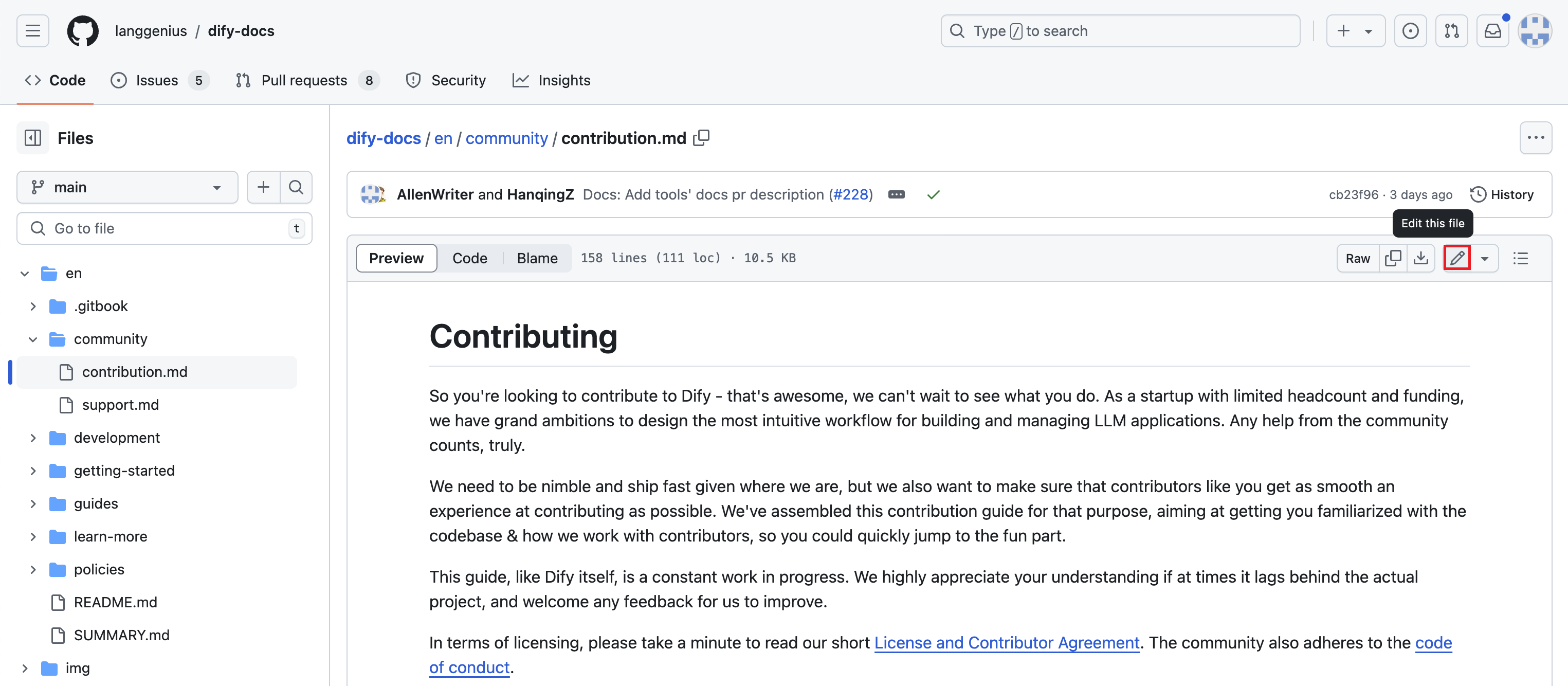
If you encounter errors while reading a document or wish to suggest modifications, please use the “Edit on GitHub” button located in the table of contents on the right side of the document page. Utilize GitHub’s built-in online editor to make your changes, then submit a pull request with a concise description of your edits. Please format your pull request title asFix: Update xxx. We’ll review your submission and merge the changes if everything looks good.
 Alternatively, you can post the document link on our Issues page with a brief description of the necessary modifications. We’ll address these promptly upon receipt.
Content Additions
To contribute new documentation to our repository, please follow these steps:- Fork the repository
Note: You can also use GitHub’s online code editor to submit new Markdown files directly in the appropriate directory.
- Locate the relevant document directory and add your file
.md files to the /guides/tools/tool-configuration/ directory.
- Submit a pull request
Docs: Add xxx for the title and provide a brief description in the comment field. We’ll review your submission and merge the changes if everything is in order.
Best Practices
We warmly encourage you to share the creative application scenarios you have built with Dify! To help community members better understand and replicate your hands-on experience, we recommend structuring your content as follows:For images and screenshots, please use online image hosting links in your documentation.We look forward to your valuable contributions and to fostering knowledge within the Dify community together!
Getting Help
If you ever get stuck or got a burning question while contributing, simply shoot your queries our way via the related GitHub issue, or hop onto our Discord for a quick chat. We appreciate your efforts in improving Dify’s documentation!Edit this page | Report an issue