

Deploying GPUStack
You can refer to the official Documentation for deployment, or quickly integrate following the steps below:Linux or MacOS
GPUStack provides a script to install it as a service on systemd or launchd based systems. To install GPUStack using this method, just run:Windows
Run PowerShell as administrator (avoid using PowerShell ISE), then run the following command to install GPUStack:Deploying LLM
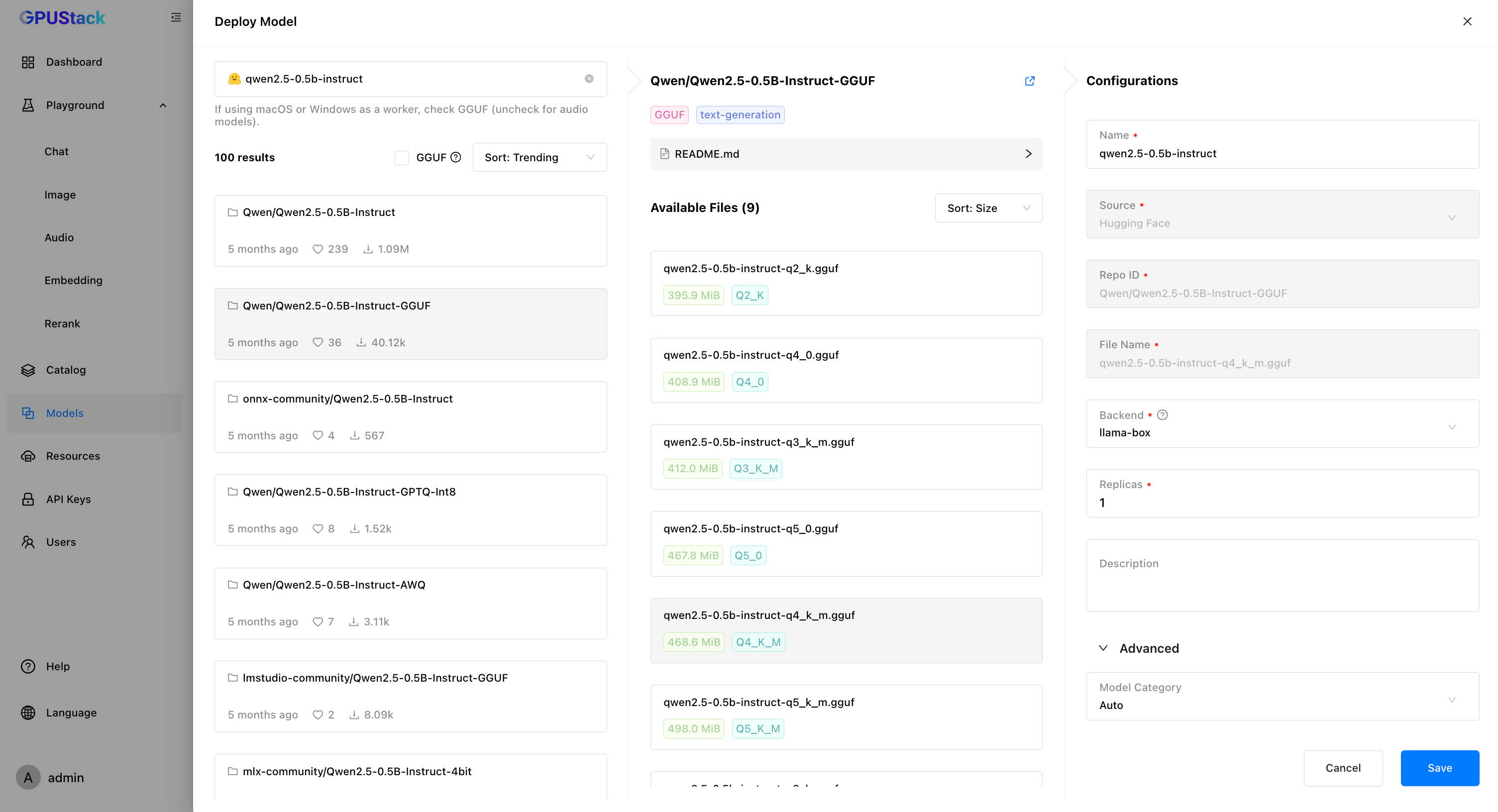
Using a LLM hosted on GPUStack as an example:-
In GPUStack UI, navigate to the “Models” page and click on “Deploy Model”, choose
Hugging Facefrom the dropdown. -
Use the search bar in the top left to search for the model name
Qwen/Qwen2.5-0.5B-Instruct-GGUF. -
Click
Saveto deploy the model.
Create an API Key
- Navigate to the “API Keys” page and click on “New API Key”.
-
Fill in the name, then click
Save. - Copy the API key and save it for later use.
Integrating GPUStack into Dify
-
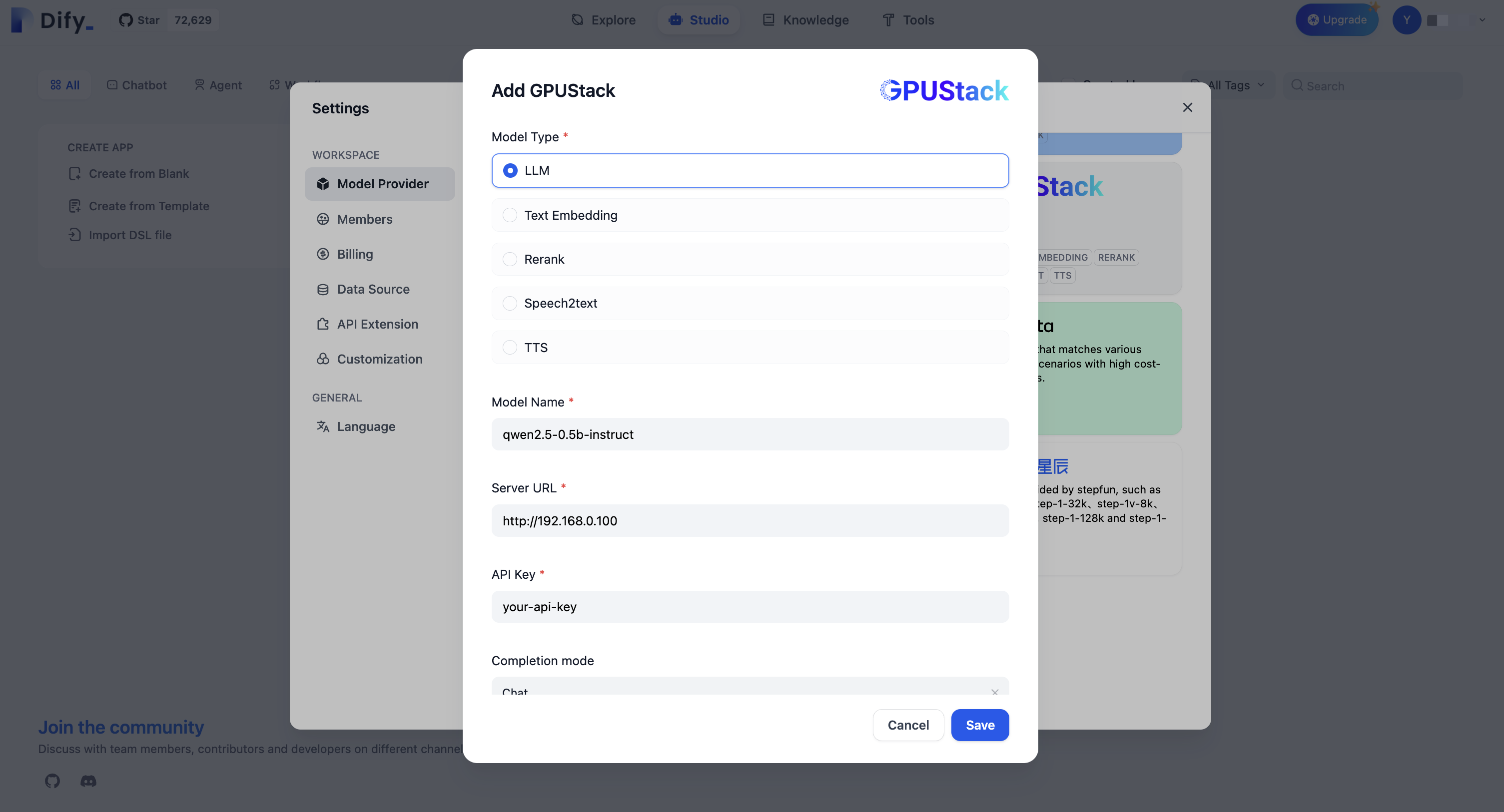
Go to
Settings > Model Providers > GPUStackand fill in:-
Model Type:
LLM -
Model Name:
qwen2.5-0.5b-instruct -
Server URL:
http://your-gpustack-server-ip -
API Key:
Input the API key you copied from previous steps
-
Model Type:
 For more information about GPUStack, please refer to GitHub Repo.
Edit this page | Report an issue