

Array[File] array-type variable, which is not conducive to subsequent individual file processing.
The Array data type means that the actual value of the variable could be [1.mp3, 2.png, 3.doc]. LLMs only support reading single values such as image files or text content as input variables and cannot directly read array variables.
Node Functionality
The list operator can filter and extract attributes such as file format type, file name, and size, passing different format files to corresponding processing nodes to achieve precise control over different file processing flows. For example, in an application that allows users to upload both document files and image files simultaneously, different files need to be sorted through the list operation node, with different files being handled by different processes.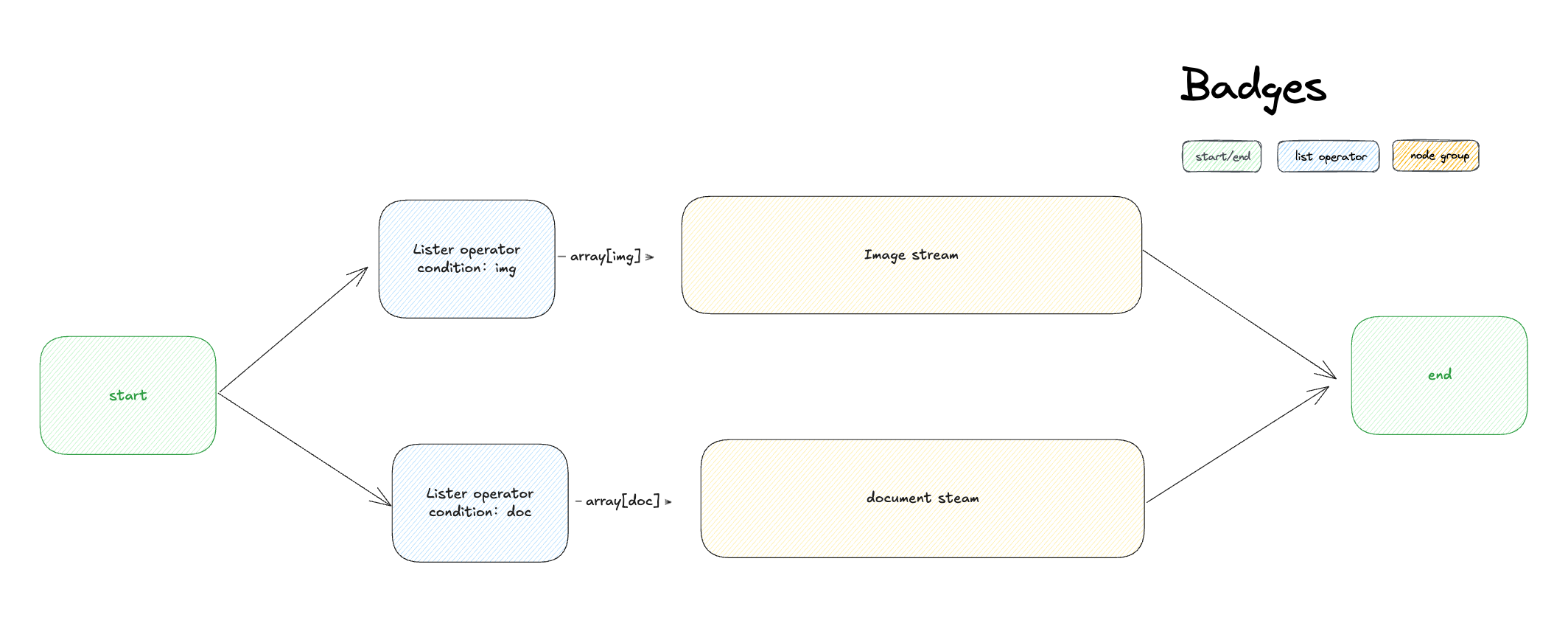 List operation nodes are generally used to extract information from array variables, converting them into variable types that can be accepted by downstream nodes through setting conditions. Its structure is divided into input variables, filter conditions, sorting, taking the first N items, and output variables.
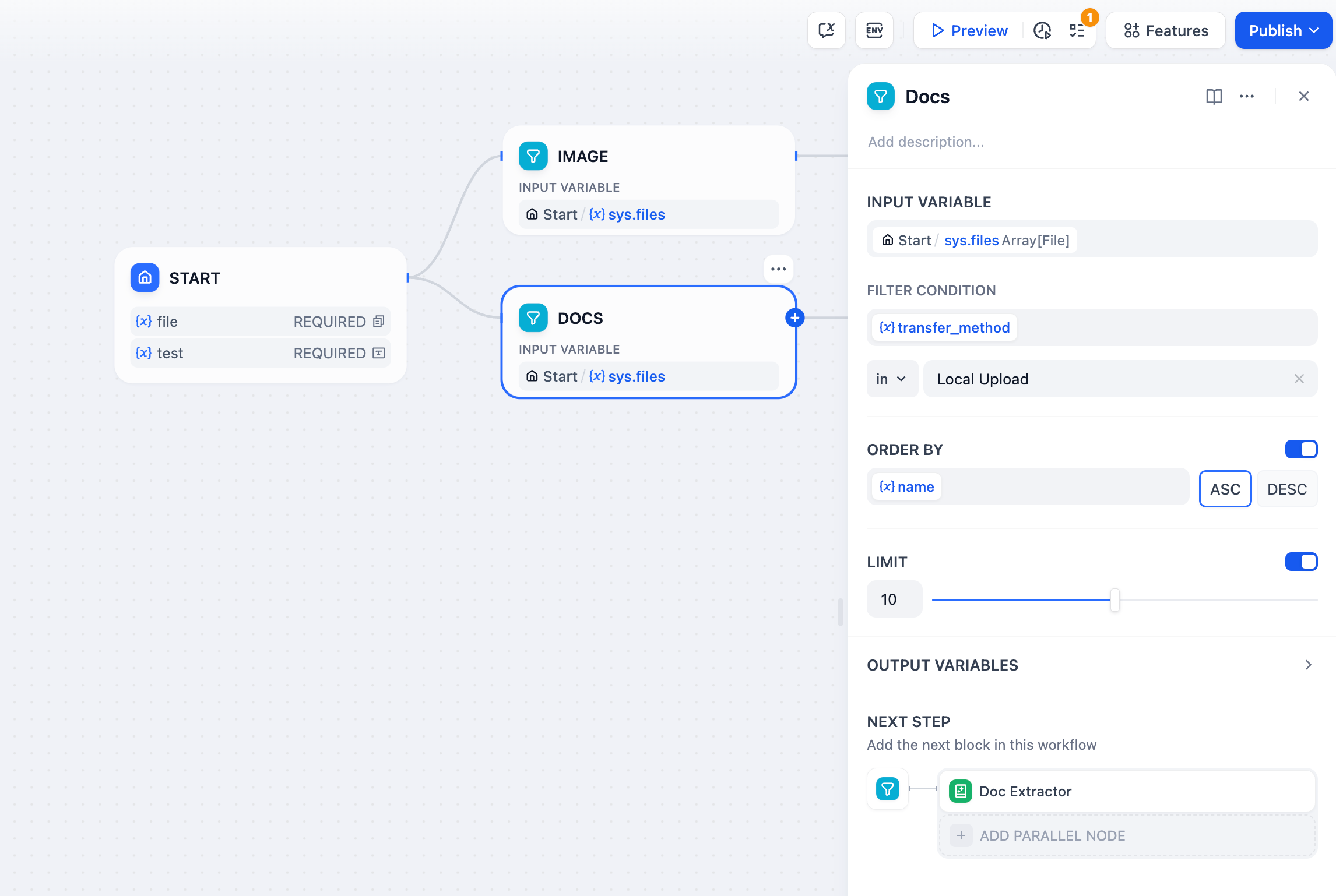 Input Variables
The list operation node only accepts variables with the following data structures:
Input Variables
The list operation node only accepts variables with the following data structures:
- Array[string]
- Array[number]
- Array[file]
- type: File category, including image, document, audio, and video types
- size: File size
- name: File name
- url: Refers to files uploaded by application users via URL, can fill in the complete URL for filtering
- extension: File extension
- mime_type: MIME types are standardized strings used to identify file content types. Example: “text/html” indicates an HTML document.
- transfer_method: File upload method, divided into local upload or upload via URL
- Ascending order(ASC): Default sorting option, sorted from small to large. For letters and text, sorted in alphabetical order (A - Z)
- Descending order(DESC): Sorted from large to small, for letters and text, sorted in reverse alphabetical order (Z - A)
- Result: Filtering result, data type is array variable. If the array contains only 1 file, the output variable contains only 1 array element;
- first_record: The first element of the filtered array, i.e., result[0];
- last_record: The last element of the filtered array, i.e., result[array.length-1].
Configuration Example
In file interaction Q&A scenarios, application users may upload document files or image files simultaneously. LLMs only support the ability to recognize image files and do not support reading document files. At this time, the List Operation node is needed to preprocess the array of file variables and send different file types to corresponding processing nodes. The orchestration steps are as follows:- Enable the Features function and check both “Images” and “Document” types in the file types.
- Add two list operation nodes, setting to extract image and document variables respectively in the “List Operator” conditions.
- Extract document file variables and pass them to the “Doc Extractor” node; extract image file variables and pass them to the “LLM” node.
- Add a “Answer” node at the end, filling in the output variable of the LLM node.
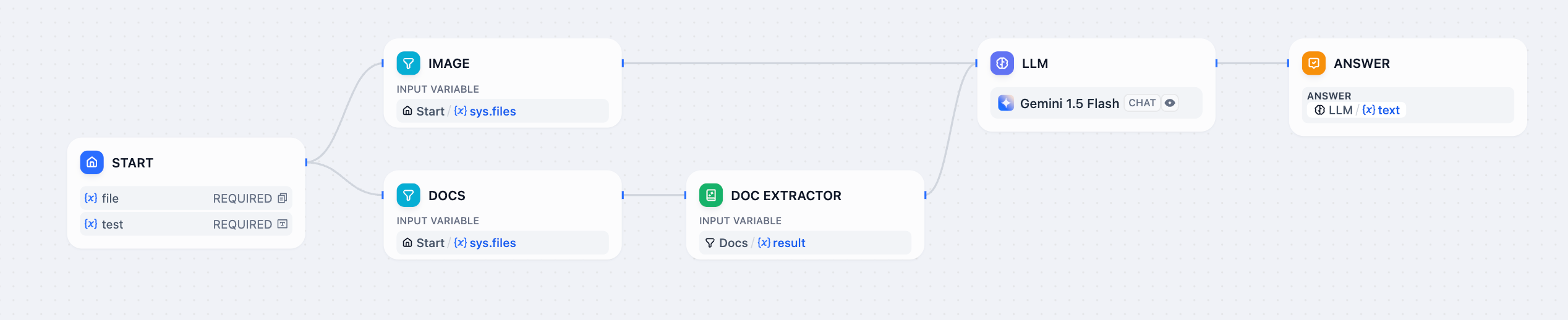 After the application user uploads both document files and images, document files are automatically diverted to the doc extractor node, and image files are automatically diverted to the LLM node to achieve joint processing of mixed files.
Edit this page | Report an issue