

Basic Introduction
Workflows reduce system complexity by breaking down complex tasks into smaller steps (nodes), reducing reliance on prompt engineering and model inference capabilities, and enhancing the performance of LLM applications for complex tasks. This also improves the system’s interpretability, stability, and fault tolerance. Dify workflows are divided into two types:- Chatflow: Designed for conversational scenarios, including customer service, semantic search, and other conversational applications that require multi-step logic in response construction.
- Workflow: Geared towards automation and batch processing scenarios, suitable for high-quality translation, data analysis, content generation, email automation, and more.
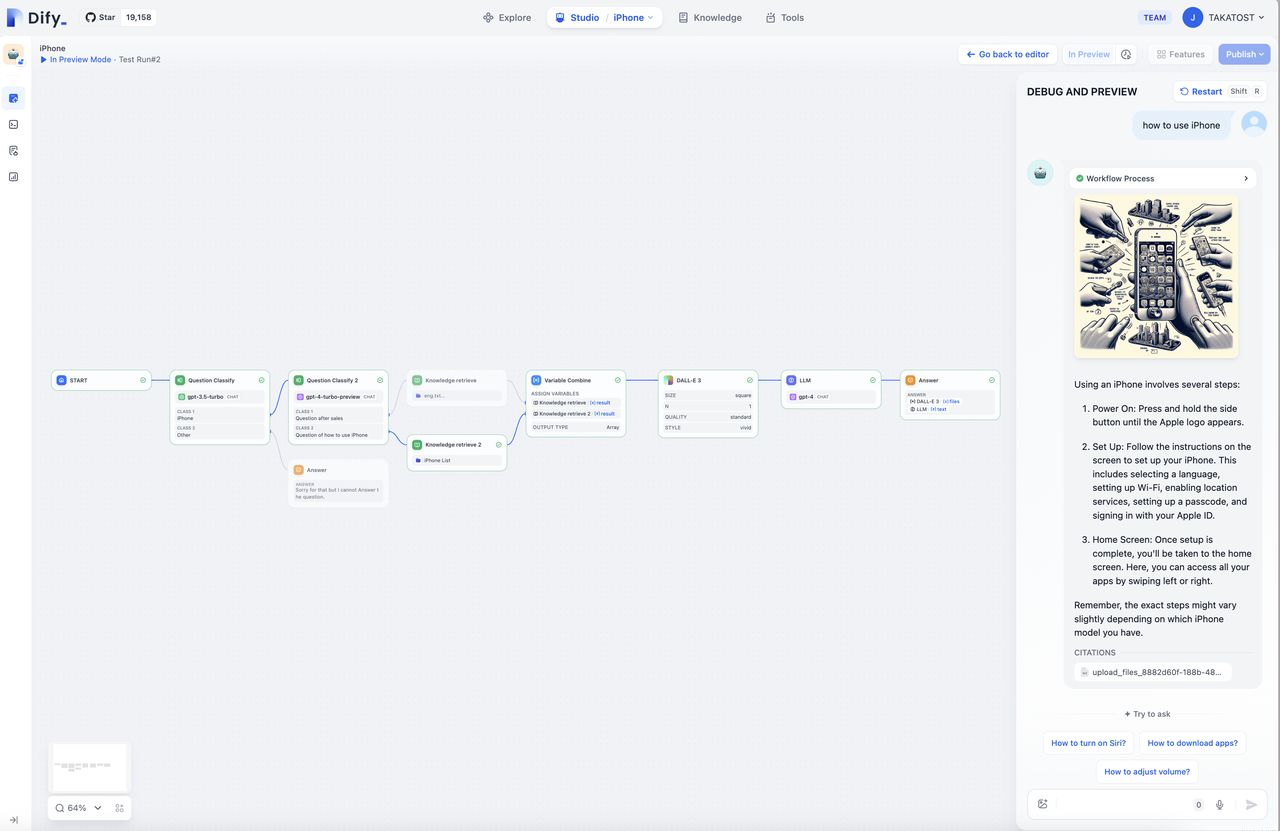 To address the complexity of user intent recognition in natural language input, Chatflow provides question understanding nodes. Compared to Workflow, it adds support for Chatbot features such as conversation history (Memory), annotated replies, and Answer nodes.
To handle complex business logic in automation and batch processing scenarios, Workflow offers a variety of logic nodes, such as code nodes, IF/ELSE nodes, template transformation, iteration nodes, and more. Additionally, it provides capabilities for timed and event-triggered actions, facilitating the construction of automated processes.
To address the complexity of user intent recognition in natural language input, Chatflow provides question understanding nodes. Compared to Workflow, it adds support for Chatbot features such as conversation history (Memory), annotated replies, and Answer nodes.
To handle complex business logic in automation and batch processing scenarios, Workflow offers a variety of logic nodes, such as code nodes, IF/ELSE nodes, template transformation, iteration nodes, and more. Additionally, it provides capabilities for timed and event-triggered actions, facilitating the construction of automated processes.
Common Use Cases
- Customer Service
- Content Generation
- Task Automation
- Data Analysis and Reporting
- Email Automation
How to Get Started
- Start by building a workflow from scratch or use system templates to help you get started.
- Get familiar with basic operations, including creating nodes on the canvas, connecting and configuring nodes, debugging workflows, and viewing run history.
- Save and publish a workflow.
- Run the published application or call the workflow through an API.
Edit this page | Report an issue