

Pre-preparation
- AWS Bedrock Knowledge Base
- Dify SaaS Service / Dify Community Version
- Backend API Development Basics
1. Register and Create AWS Bedrock Knowledge Base
Visit AWS Bedrock and create the Knowledge Base service.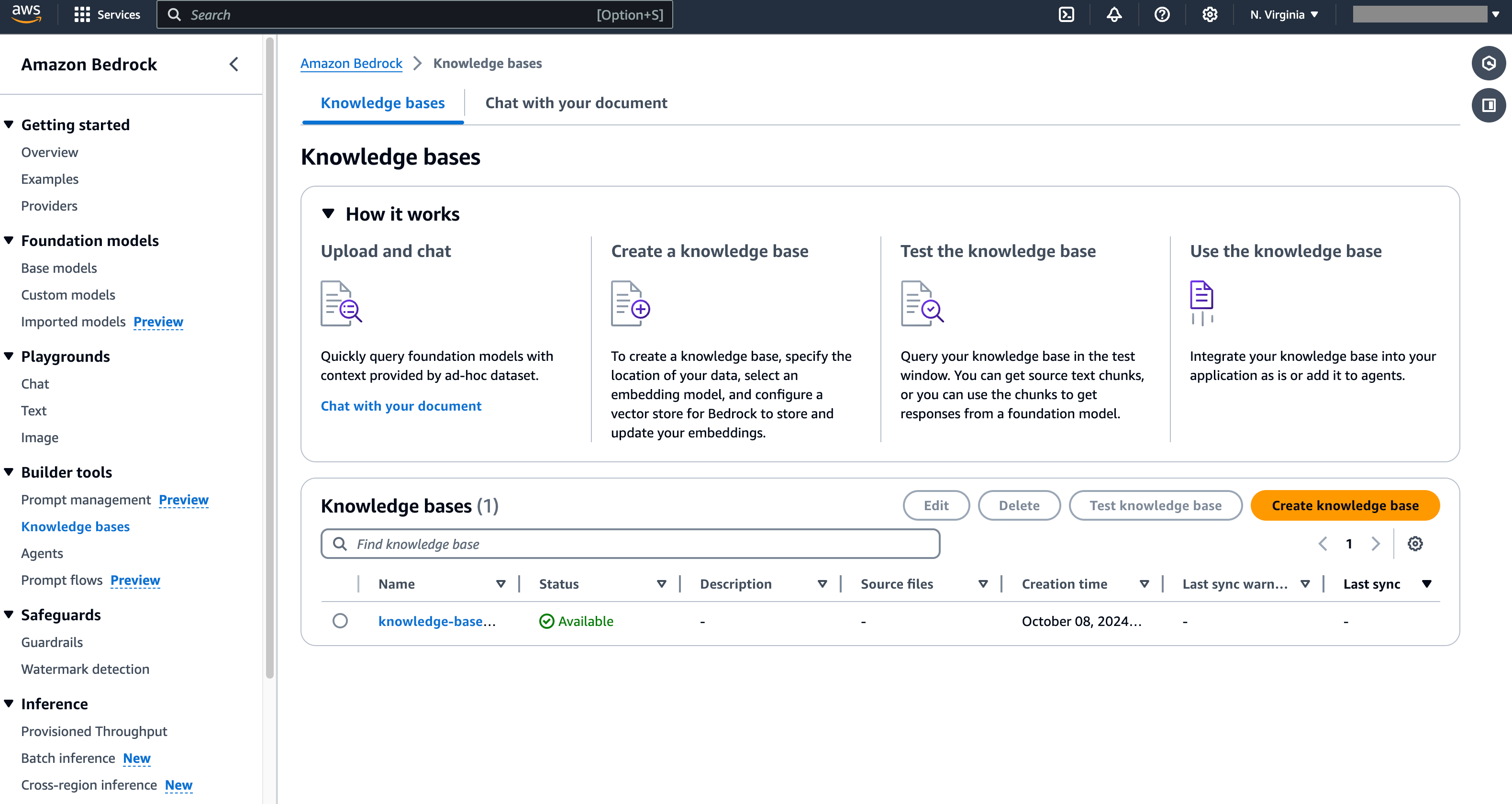
2. Build the Backend API Service
The Dify platform cannot directly connect to AWS Bedrock Knowledge Base. The developer needs to refer to Dify’s API definition on external knowledge base connection, manually create the backend API service, and establish a connection with AWS Bedrock. Please refer to the specific architecture diagram: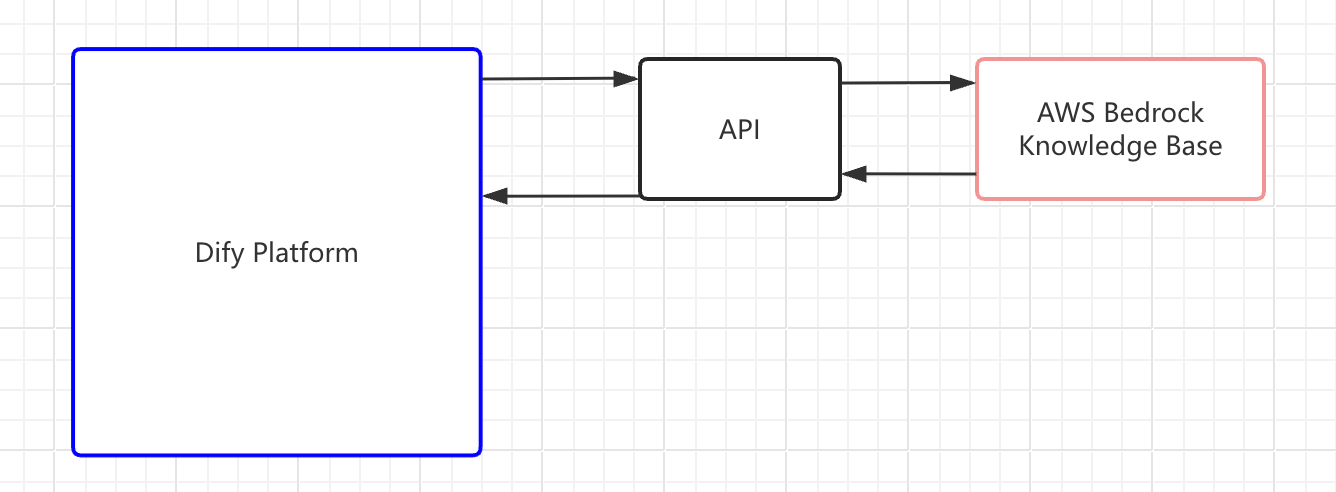 You can refer to the following 2 demo code.
knowledge.py
knowledge_service.py
3. Get the AWS Bedrock Knowledge Base ID
After log in to the AWS Bedrock Knowledge backend and get the ID of the created Knowledge Base, you can use this parameter to connect to the Dify platform in the subsequent steps.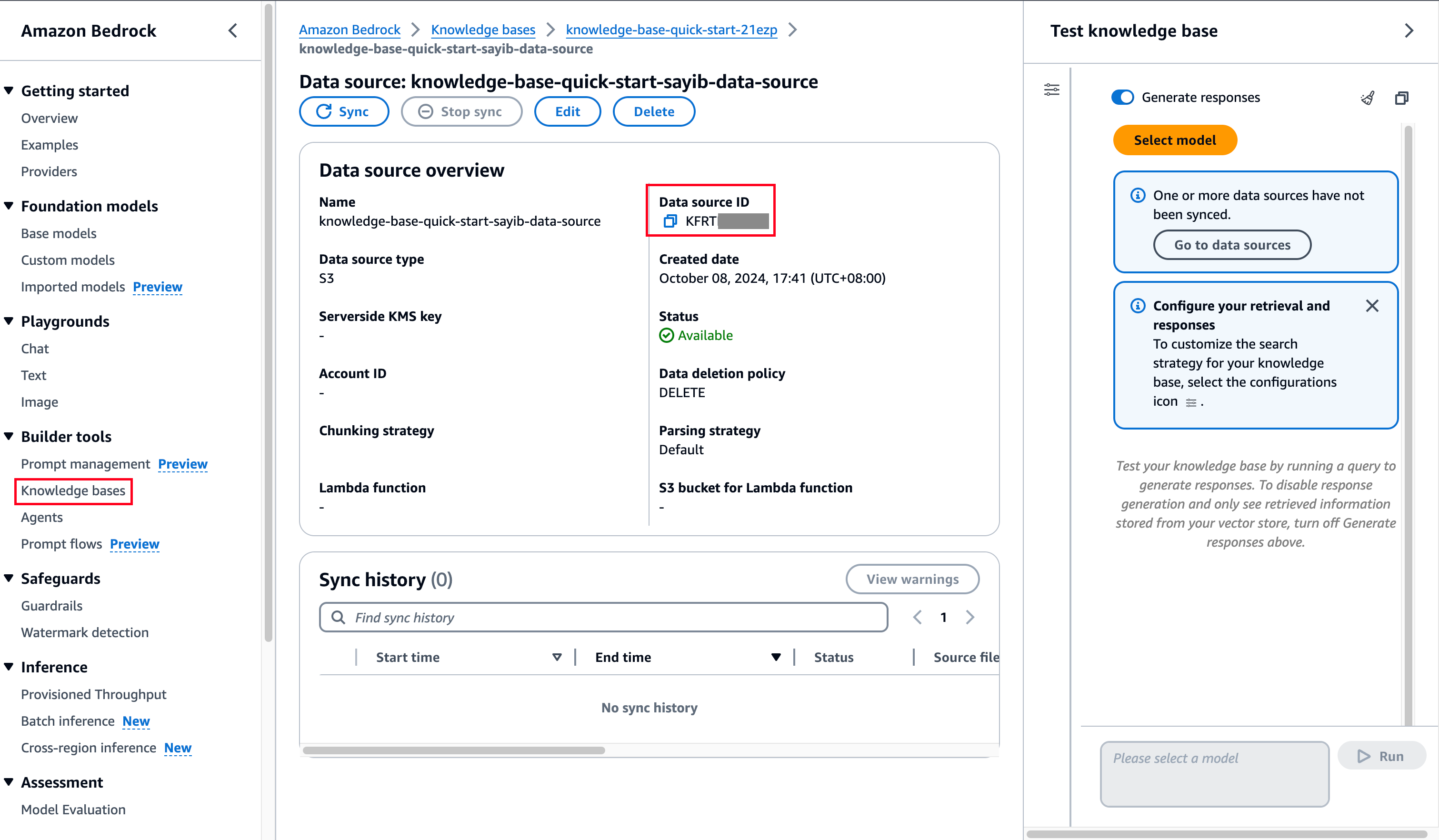
4. Associate the External Knowledge API
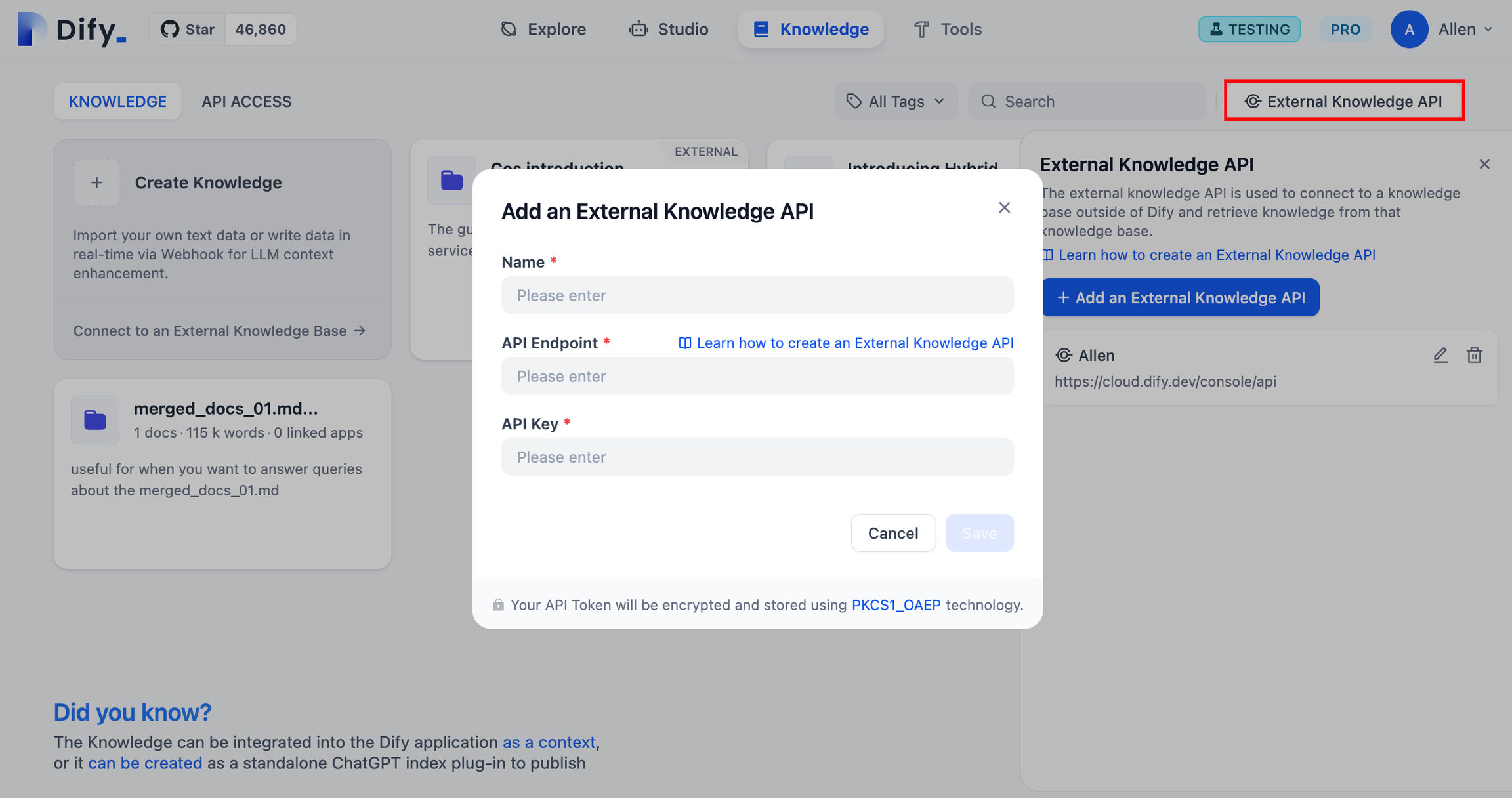
Go to the “Knowledge” page in the Dify platform, click “External Knowledge API” in the upper right corner, and tap “Add an External Knowledge API”. Follow the prompts on the page and fill in the following information:- The name of the knowledge base. Custom names are allowed to distinguish different external knowledge APIs connected to the Dify platform;
- API endpoint address, the connection address of the external knowledge base, which can be customized in Step 2. Example:
api-endpoint/retrieval; - API Key, the external knowledge base connection key, which can be customized in Step 2.
5. Connect to External Knowledge Base
Go to the “Knowledge page, click “Connect to an External Knowledge Base” below the add knowledge base card to jump to the parameter configuration page.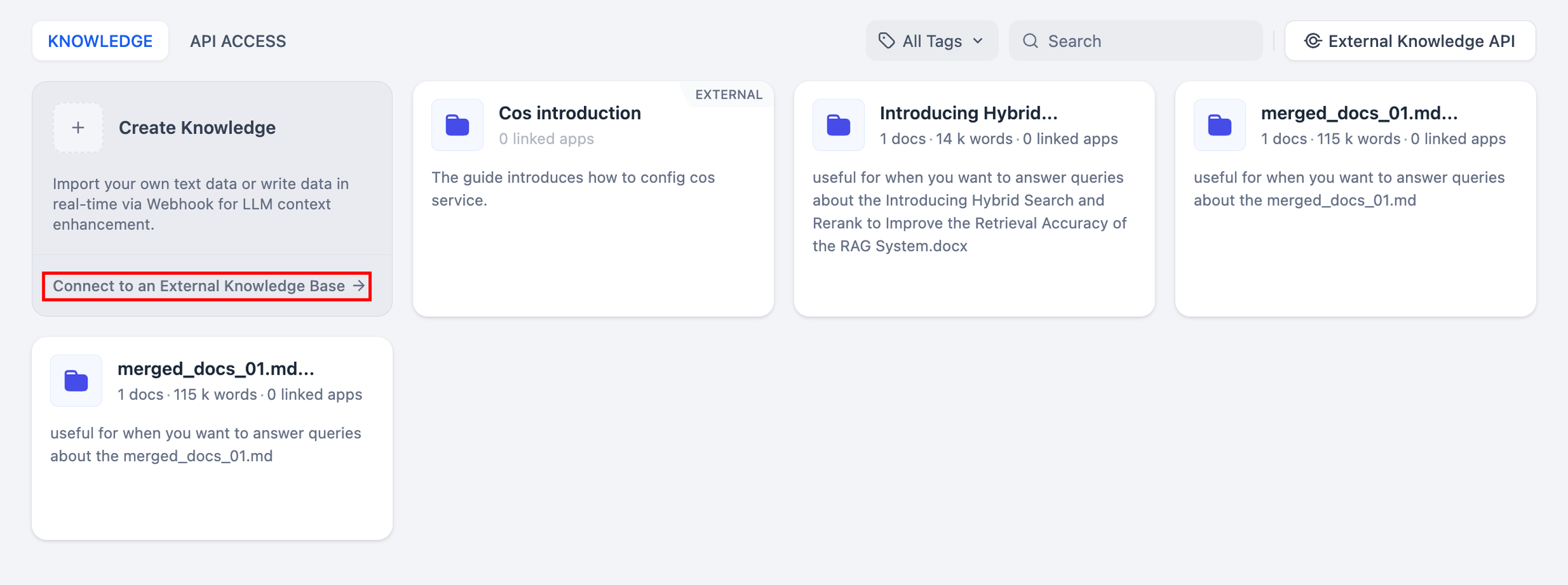 Fill in the following parameters:
- Knowledge base name and description
- External knowledge base API
- External knowledge base ID
- Adjust recall settings
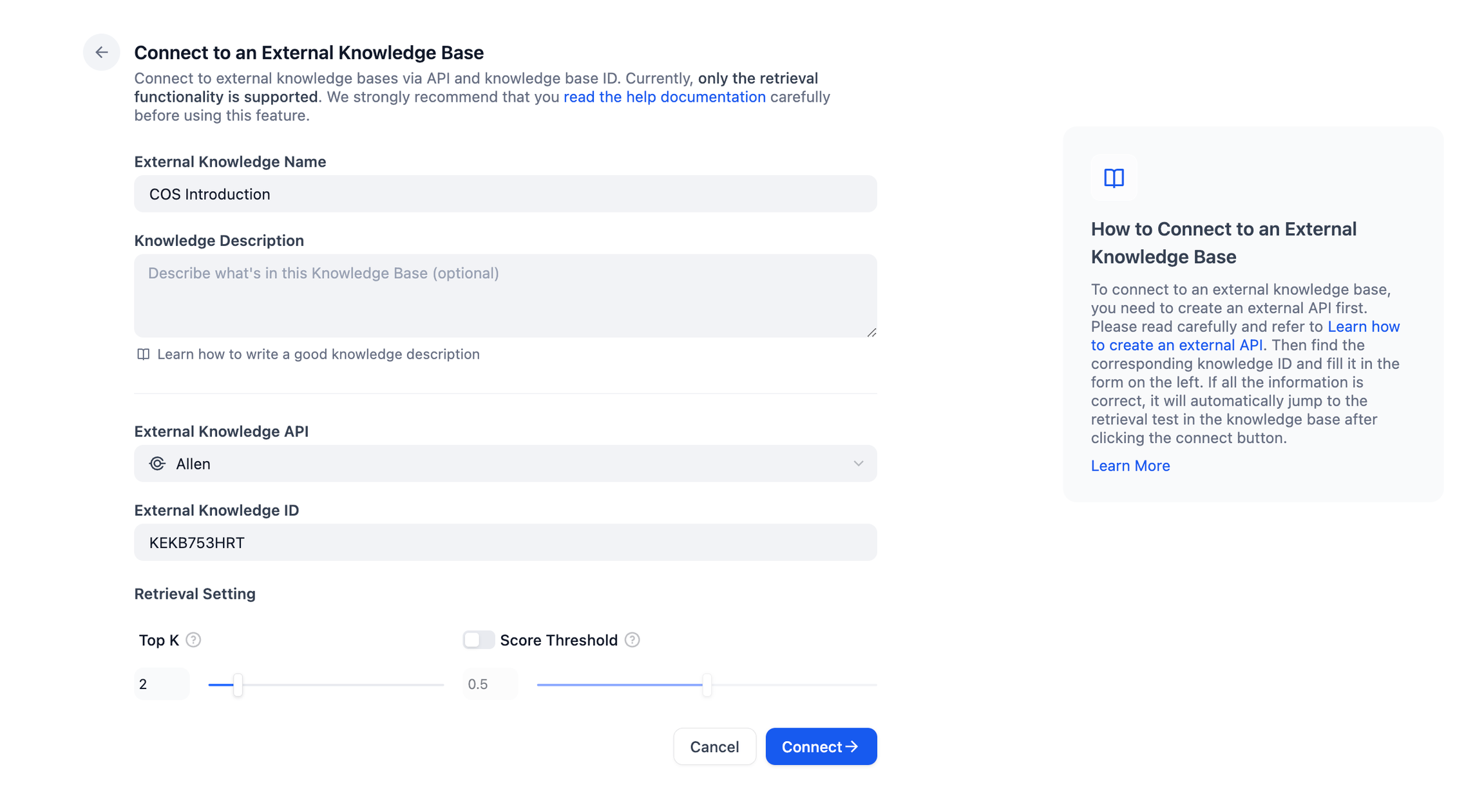 After the settings are completed, you can establish a connection with the external knowledge base API.
6. Test External Knowledge Base Connection and Retrieval
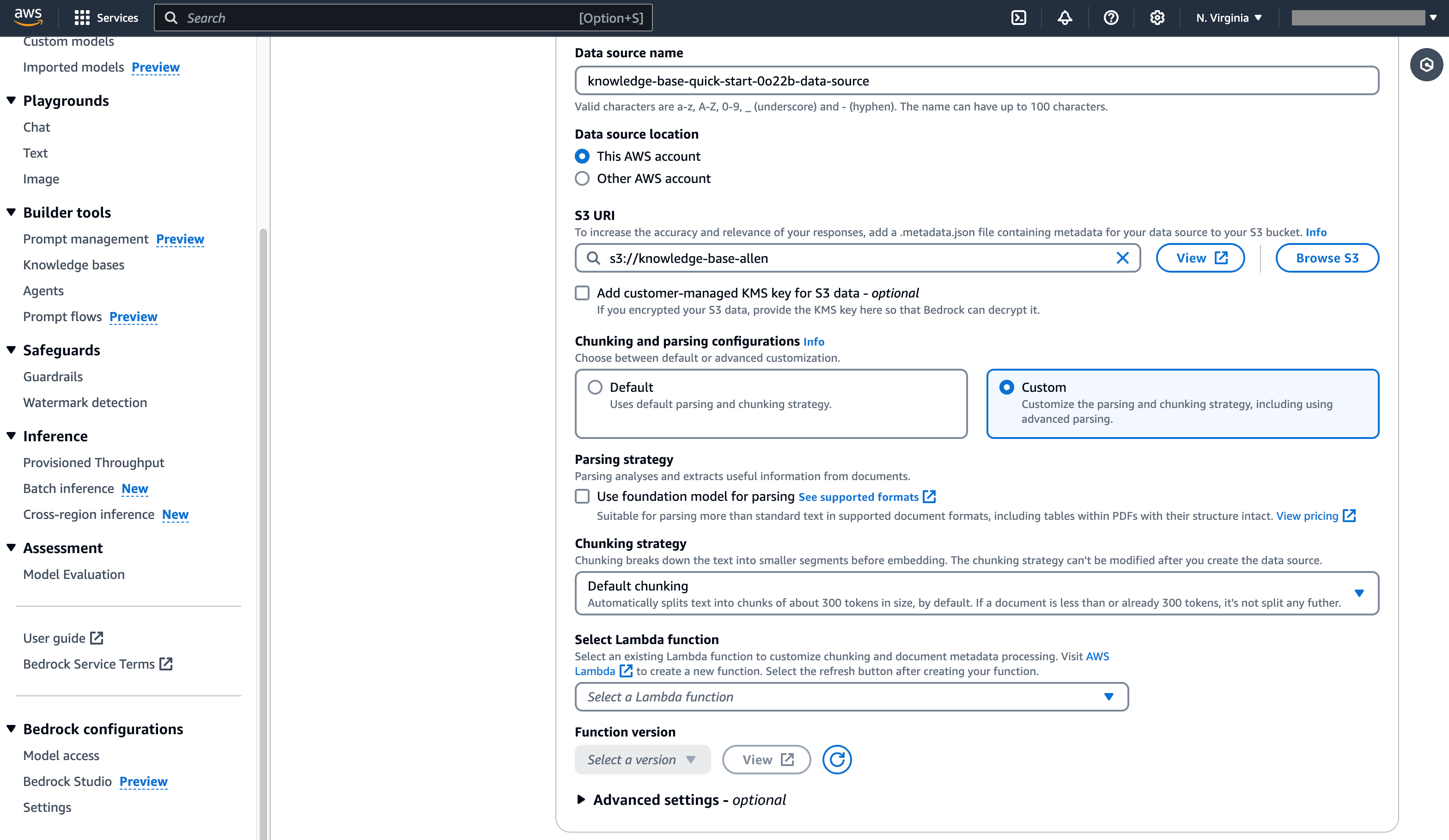
After establishing a connection with an external knowledge base, developers can simulate possible user’s question keywords in “Retrieval Test” and preview the text chunks retrieval from the AWS Bedrock Knowledge Base.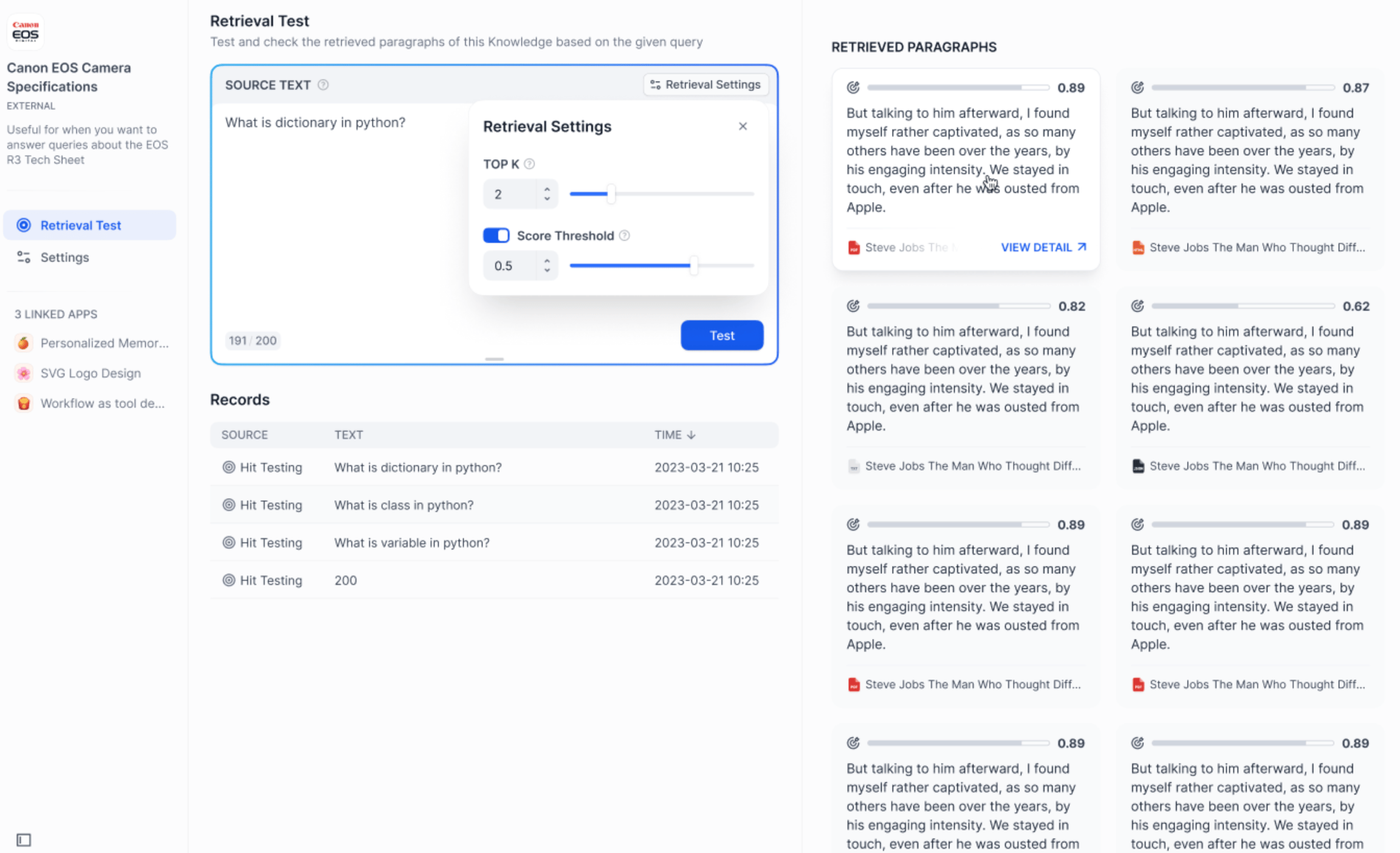 If you are not satisfied with the retrieval results, you can try to modify the retrieval parameters or adjust the retrieval settings of AWS Bedrock Knowledge Base.
Edit this page | Report an issue