

Author: Leo_chen, creator of Dify Schedule and Smart WeChat Assistant
Overview
Tired of manually running Dify Workflows? Missing scheduled task support? With Dify Schedule Assistant, you can easily add scheduling capabilities to Dify Workflows. Using GitHub Actions, you can set up automated task execution with real-time notifications to optimize your workflow efficiency.Note: This tool only supports Dify Workflow applications
🌟 Core Features
- 🔄 Parallel execution of multiple Workflows
- ⏰ Flexible scheduling (Default: UTC+8 06:30)
- 📱 Multi-channel notifications
- Enterprise: WeCom, DingTalk, Feishu
- Personal: WeChat, Email, Server Chan, Pushplus
- 🔒 Secure execution via GitHub Actions
- 🐲 Support for QingLong Panel deployment
🚀 Quick Start
Two deployment options available:- Online (GitHub Actions)
- Local (QingLong Panel)
Option 1: GitHub Actions
- Fork Repository Visit Dify Schedule Repository and fork it.
-
Configure Secrets Go to Settings -> Secrets -> New repository secret and add:
Notification Settings (Optional)
Secret Name Content Required DIFY_BASE_URLDify API URL (Default: https://api.dify.ai/v1) No DIFY_TOKENSDify Workflow API keys (separate with ;)Yes DIFY_INPUTSWorkflow variables (JSON format) No Secret Name Content Purpose EMAIL_USERSender email (SMTP enabled) Email EMAIL_PASSSMTP password Email EMAIL_TORecipient emails (separate with ,)Email PUSHPLUS_TOKENPushplus token WeChat SERVERPUSHKEYServer Chan key WeChat DINGDING_WEBHOOKDingTalk bot webhook DingTalk WEIXIN_WEBHOOKWeCom bot webhook WeCom FEISHU_WEBHOOKFeishu bot webhook Feishu AIBOTK_KEYSmart WeChat Assistant API Key WeChat AIBOTK_ROOM_RECIVERWeChat group name Group chat AIBOTK_CONTACT_RECIVERWeChat contact nickname Private chat - Enable Workflow Go to Actions tab and enable workflows.
Option 2: Local Deployment
QingLong Panel is an open-source task scheduler. Project Link
- Install QingLong Panel Follow instructions at project page.
-
Add Subscription Run:
-
Install Dependencies
- Go to【Dependencies】->【NodeJS】
- Install
axios
-
Configure Environment Variables
DIFY_TOKENS: Workflow API keys (Required)DIFY_BASE_URL: API URL (Optional)- Separate multiple tokens with
;
-
Notifications
- Use QingLong’s built-in notification system
📸 Notification Preview
| WeChat Notification Example | Email Notification Example |
|---|---|
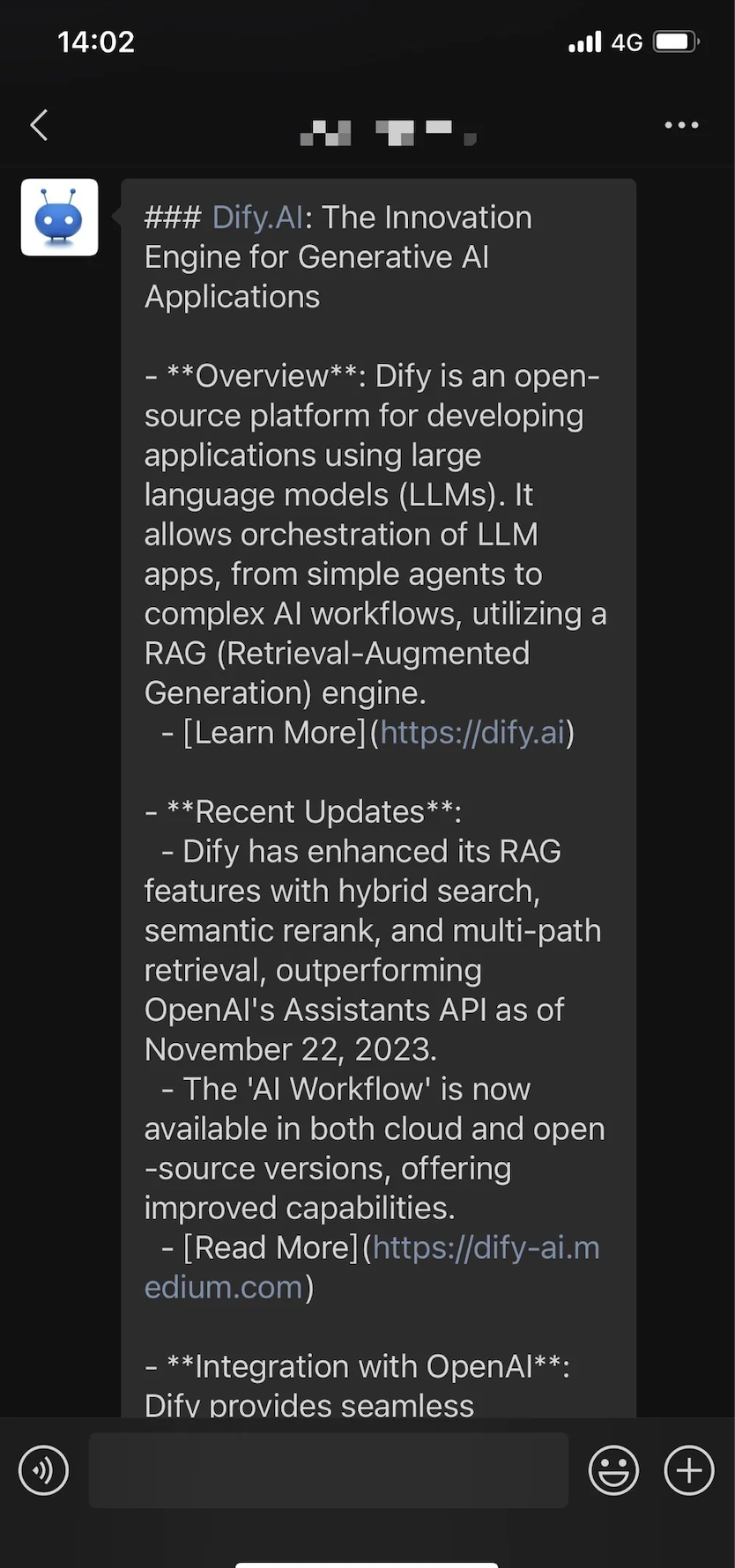
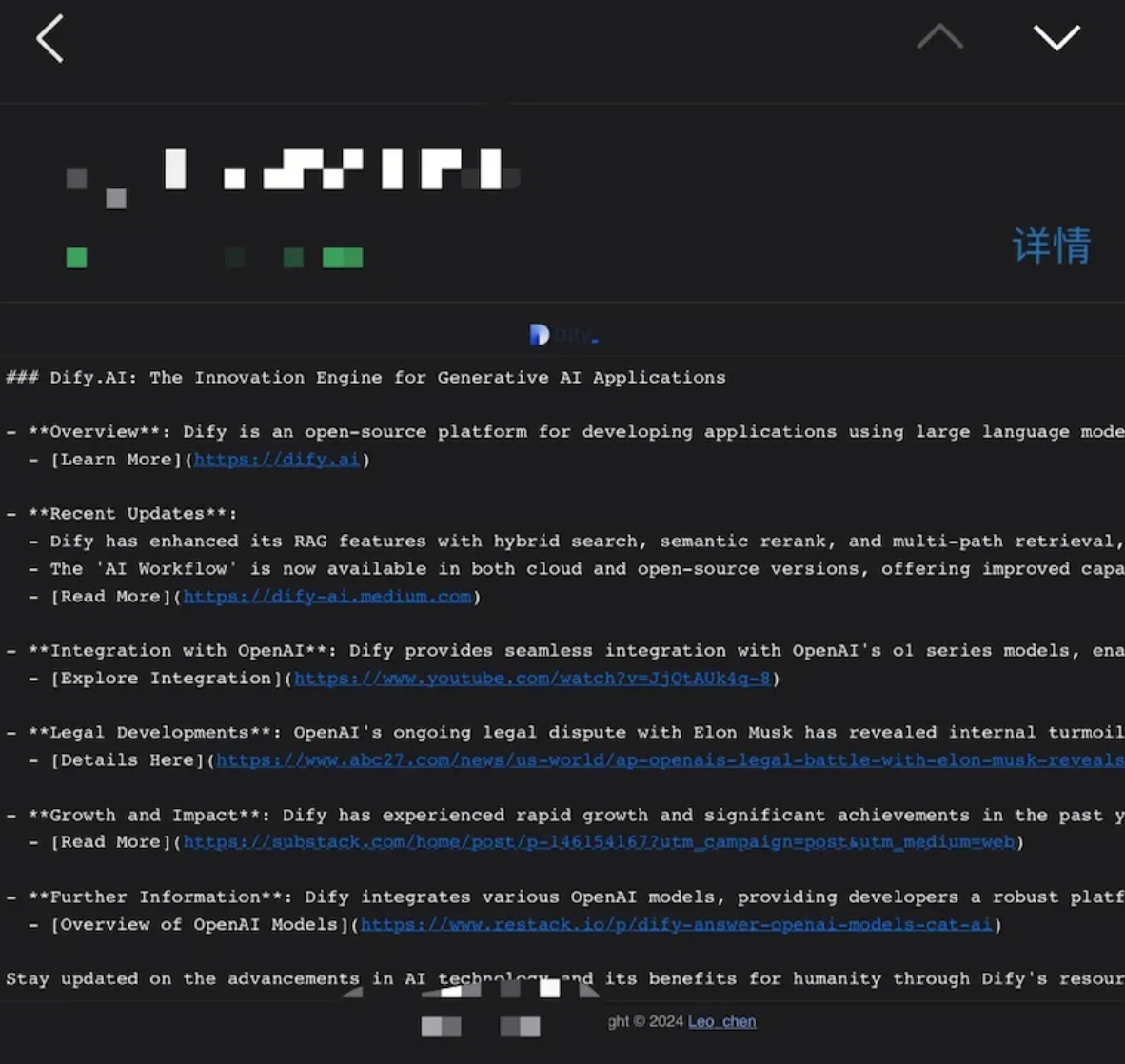
❓ Troubleshooting Guide
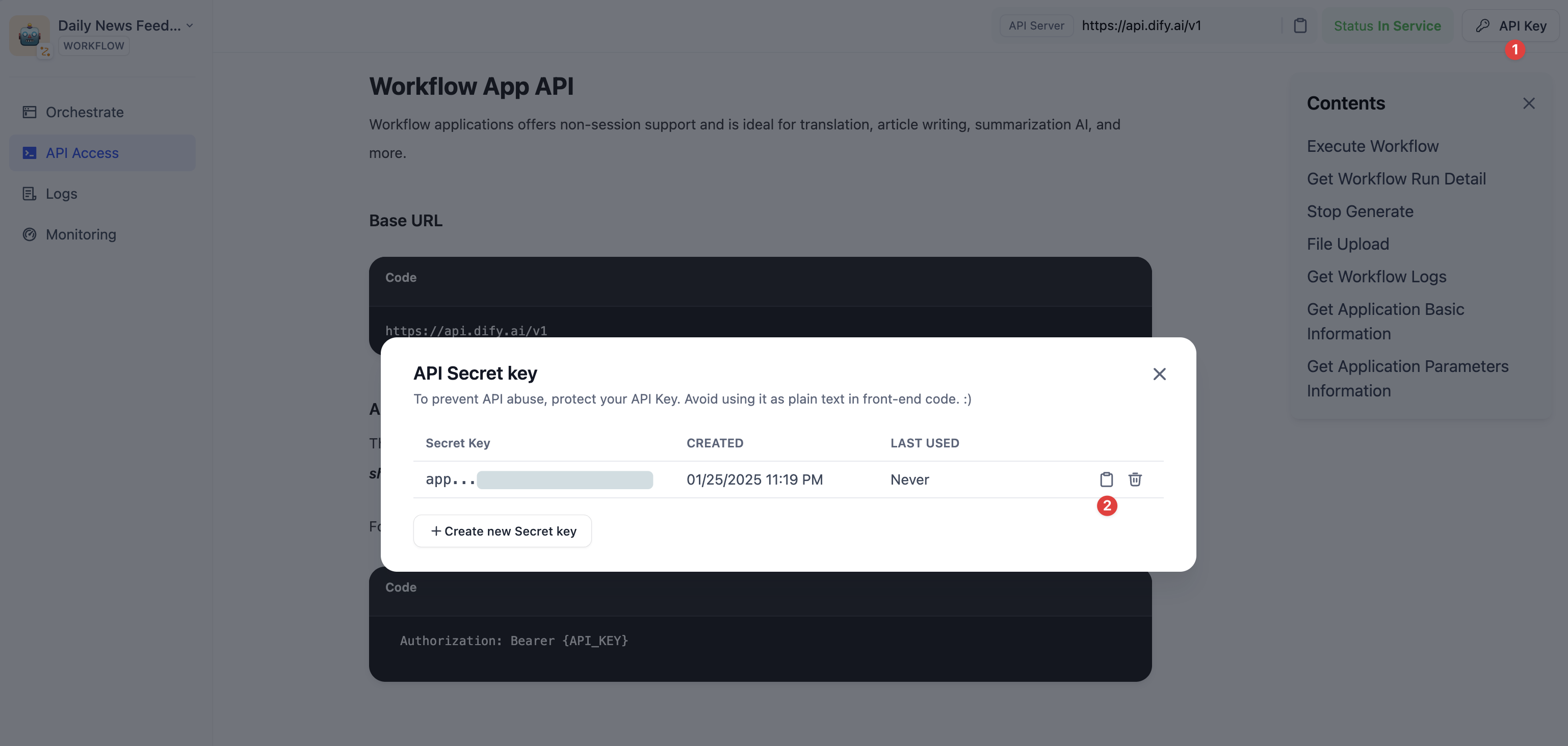
Getting API Keys
- Login to Dify console
- Access target Workflow
- Visit API Reference page
- Get API key
Common Issues
- Connection Issues
- Ensure private Dify instances have internet access
- Verify network and firewall settings
- Execution Errors
- Verify application type is Workflow
- Check
DIFY_INPUTSJSON format - Review logs for missing variables
🤝 Contributing
Welcome community contributions:- Feature suggestions
- Bug fixes
- Documentation improvements
- New features
Edit this page | Report an issue