Dify Docs home page
English
Search...
⌘K
Blog
Dify
Dify
Search...
Navigation
Create from Knowledge Pipeline
Step 5: Manage and Use Knowledge Base
Documentation
Plugin Development
API Access
Resources
Getting Started
Welcome to Dify
Dify Community
Dify Cloud
Dify Premium on AWS
Dify for Education
API Access
Guide
Model Configuration
Application Orchestration
Workflow
Knowledge
Knowledge
Create Knowledge
Create from Knowledge Pipeline
Create from Knowledge Pipeline
Step 1: Create Knowledge Pipeline
Step 2: Knowledge Pipeline Orchestration
Step 3: Publish Knowledge Pipeline
Step 4: Upload Files
Step 5: Manage and Use Knowledge Base
Authorize Data Source
Manage Knowledge
Metadata
Integrate Knowledge Base within Application
Retrieval Test / Citation and Attributions
Knowledge Request Rate Limit
Connect External Knowledge
External Knowledge API
Publishing
Annotation
Monitoring
Tools
Collaboration
Management
Workshop
Introduction
Basic
Intermediate
Community
Seek Support
Become a Contributor
Contributing to Dify Documentation
Plugins
Introduction
Quick Start
Manage Plugins
Schema Specification
Best Practice
Publish Plugins
FAQ
Development
Backend
Models Integration
Migration
Learn More
Use Cases
Extended Reading
FAQ
Policies
License
User Agreement
On this page
Knowledge Pipeline
Create from Knowledge Pipeline
Step 5: Manage and Use Knowledge Base
Copy page
Copy page
After creating your knowledge base, continuous management and optimization will provide accurate contextual information for your applications. These are the options for follow-up maintenance.
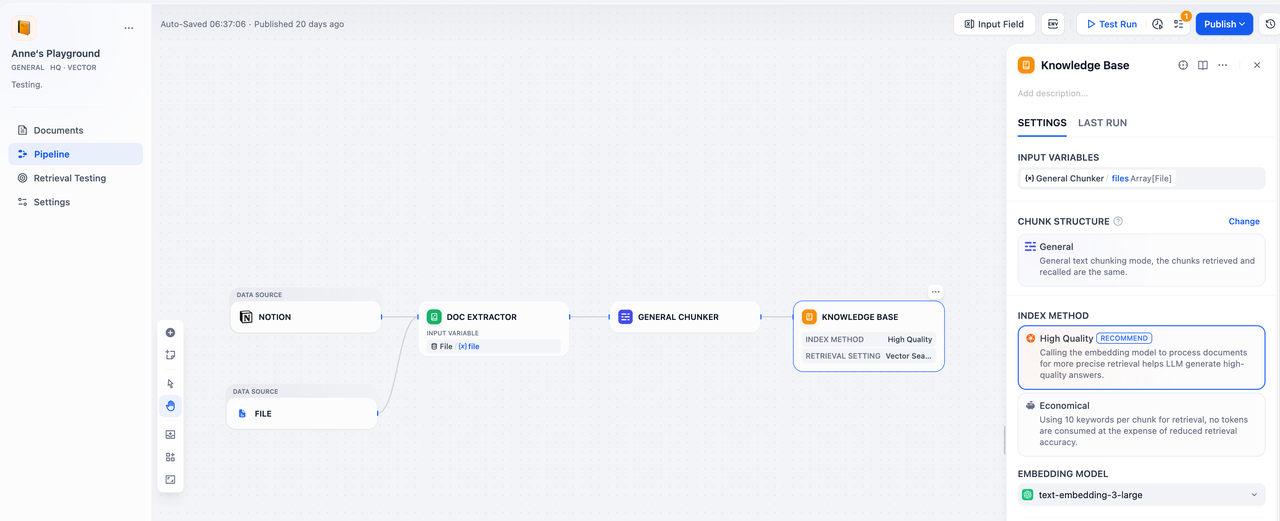
Knowledge Pipeline
View and modify your orchestrated pipeline nodes and configurations.
Find more information in
Manage Knowledge
.
Edit this page
|
Report an issue
Step 4: Upload Files
Authorize Data Source
⌘I