

This Documentation is Being Deprecated
This page is being phased out as part of our documentation reorganization.
Click this card to be redirected to the updated version with the most current information.
If you notice any discrepancies or areas needing improvement in the new documentation, please use the “Report an issue” button at the bottom of the page.
Prerequisites
You’ll need the Dify plugin development scaffolding tool for packaging plugins. Download the tool from the official GitHub releases page. See the Install Development Tools tutorial for dependency installation and configuration steps. Select and download the version appropriate for your operating system from the release assets. Using macOS with M-series chips as an example, download thedify-plugin-darwin-arm64 file, then navigate to the file’s location in terminal and grant execution permissions:
dify and copy it to the /usr/local/bin system path.
After configuration, enter the dify version command in terminal to verify version number output.
Packaging Plugins
After completing plugin project development, ensure remote connection testing is done. To package plugins, navigate to the parent directory of your plugin project and run the following packaging command:.difypkg extension will be generated in the current path.

Installing Plugins
Visit the Dify plugin management page, click Install Plugin → Install via Local File in the top right corner, or drag and drop the plugin file to a blank area of the page to install.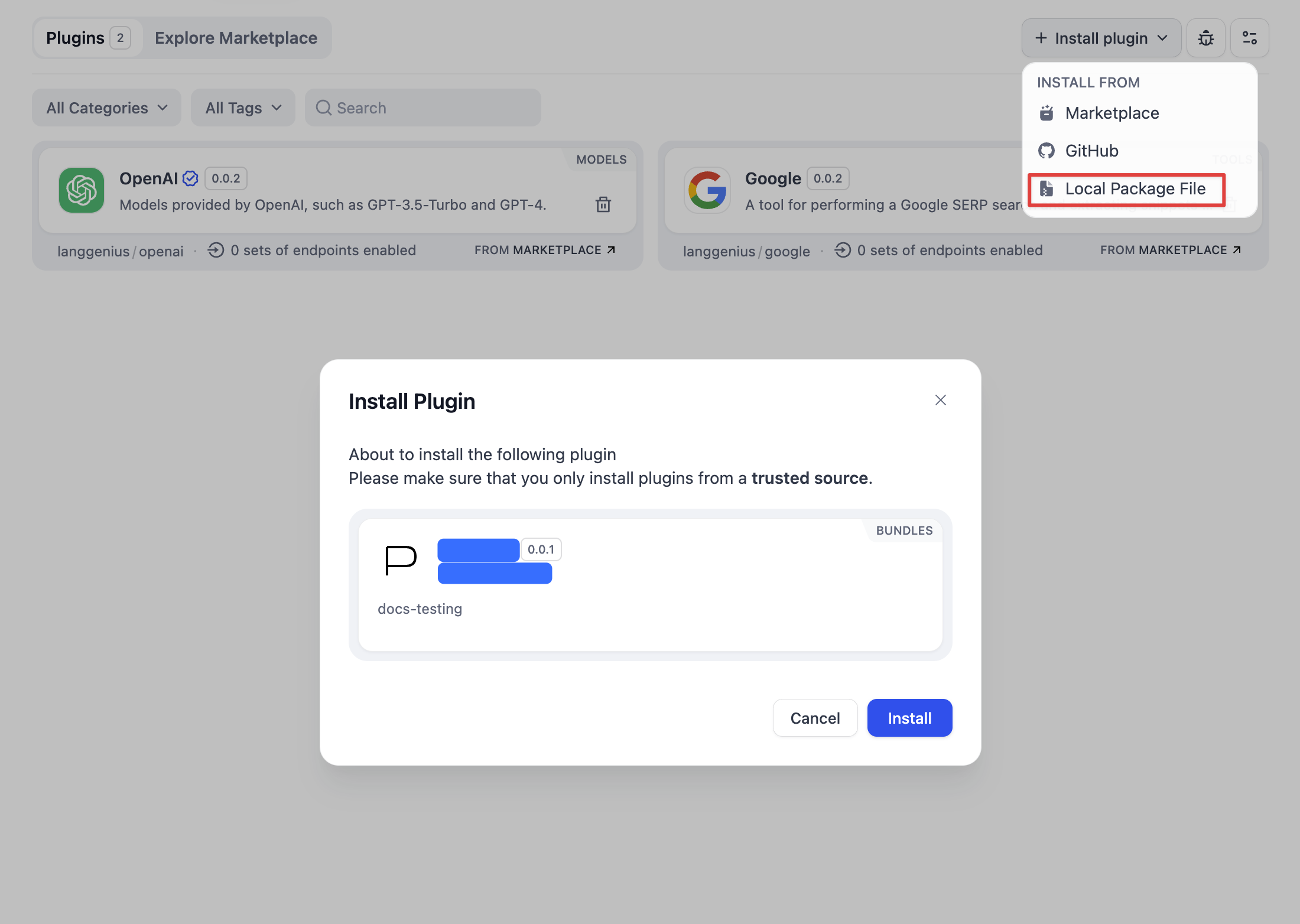
Publishing Plugins
You can share the plugin file with others or upload it to the internet for download.Edit this page | Report an issue